Never manually sync your maths, sketches and 3D models again.
StructArk is a free engineering notebook for structural engineers. One plain-text document holds the inputs, the typeset calculation, the finite-element model, the building model and the dimensioned drawings. Move an input, and everything downstream moves with it.
Free · No account · Release 0.0.1, a preview

- Free
- The notebook costs nothing and needs no account. Engineers never pay to open their own calculations.
- Reusable
- Any finished notebook is a template. The next footing is an input change and a re-print.
- Auditable
- Plain text means diffs, version control and review: the trail a calculation package is supposed to have.
- Yours
- Local files, and no licence to open your own archive ten years from now.
The problem
Concept to software is still typed in by hand.
No engineering notebook supports FEM and BIM
Notebooks like Mathcad and Blockpad typeset maths beautifully, but they cannot analyse a frame or hold a building model. Analysis and BIM live in separate, closed applications.
Every tool needs re-entry from the hand calc
The engineer sketches and solves on paper, then types the same geometry into the analysis package, again into the calc sheet, again into CAD. Each copy can drift, and a changed input has to be chased through all of them.
Existing alternatives
| Tool | Strong at | Where it stops |
|---|---|---|
| Mathcad | Readable, unit-aware maths a reviewer can follow | No model, no drawings, a closed file, and a licence to open your own work |
| Blockpad | Spreadsheet and document in one, modern and affordable | General purpose: no FEM, no BIM, no structural drawings |
| CalcpadCE | Free, text-based calculations with formatted output | Calculation only; the model and the drawings still live elsewhere |
| Excel · Tedds | Universal sheets; code-checked library calcs | Hidden formulas or a fixed scope; the non-standard part of a job falls back to hand calcs |
| FEA + CAD + Word | Real analysis, real drawings, a presentable package | Three files, three re-entries; every revision is manual rework |
The missing product is not a better spreadsheet. It is one document that can analyse, design, draw and report, and stay consistent when an input moves.
What it does
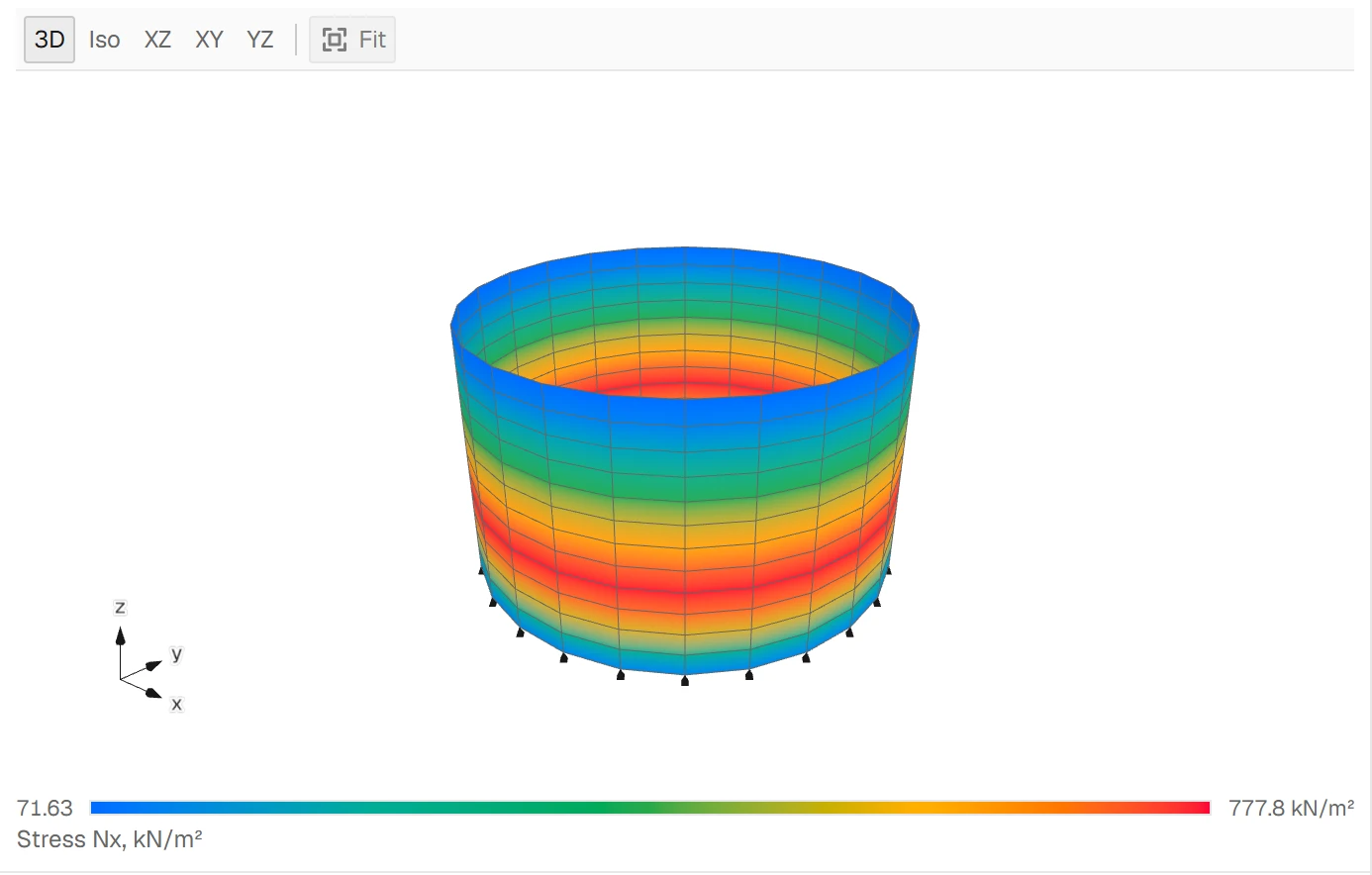
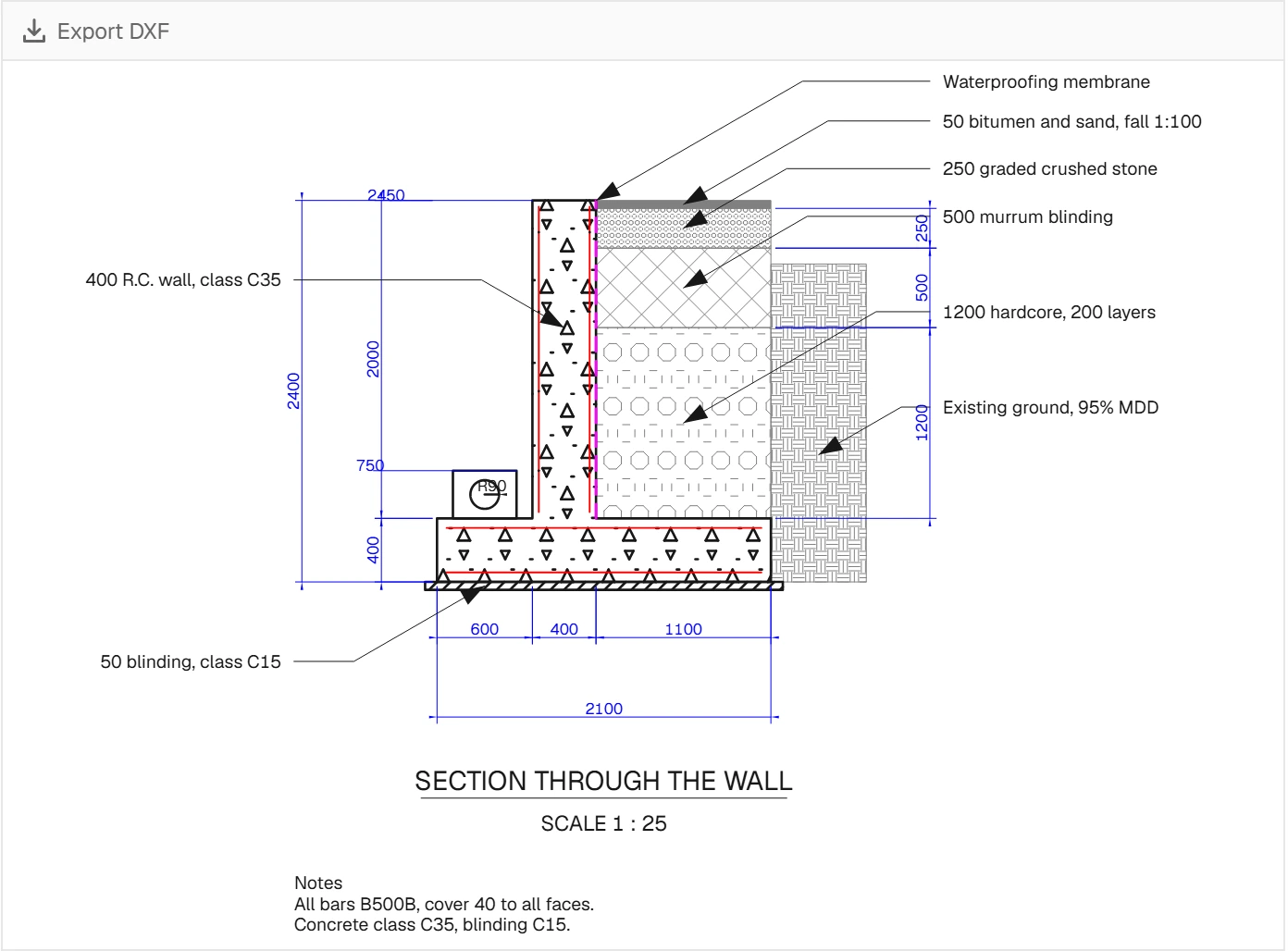
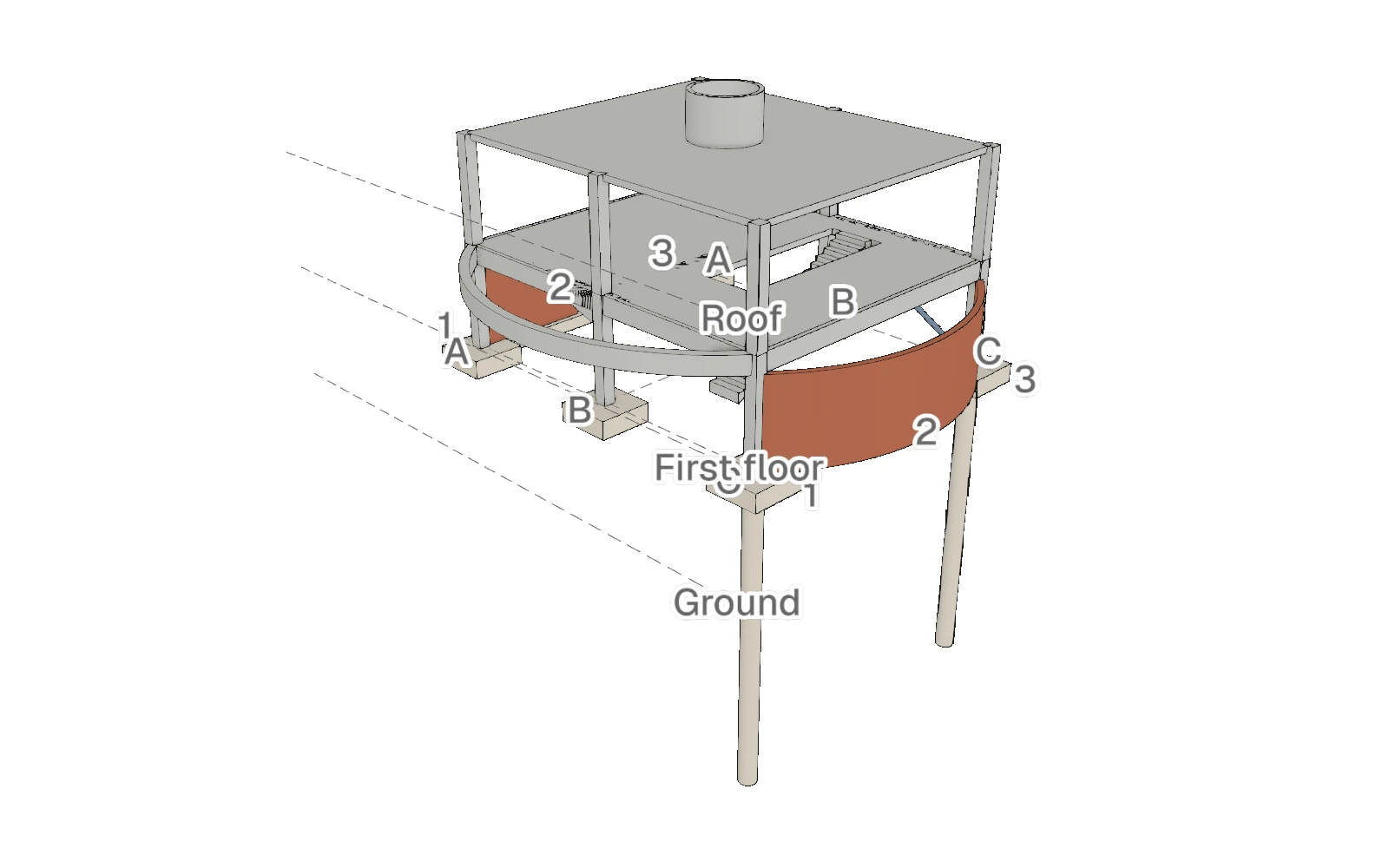
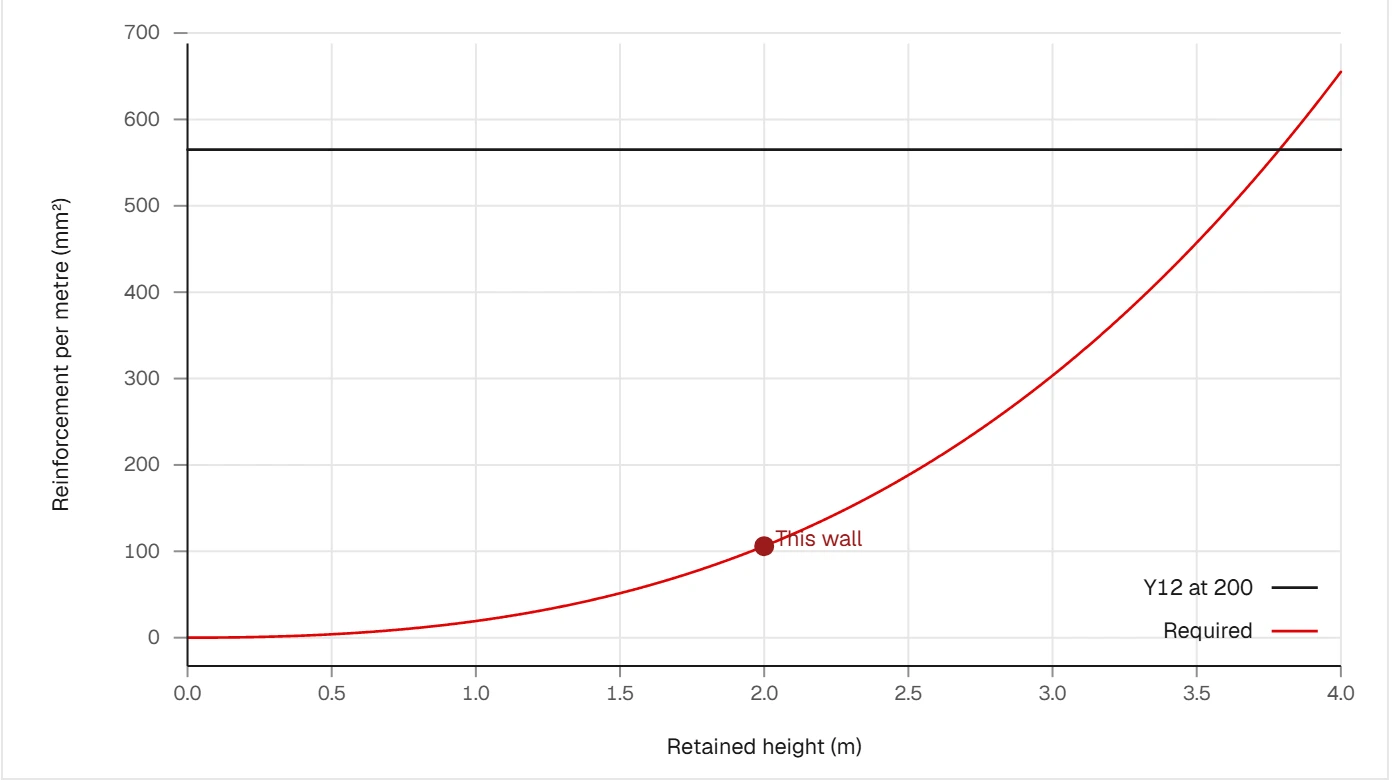
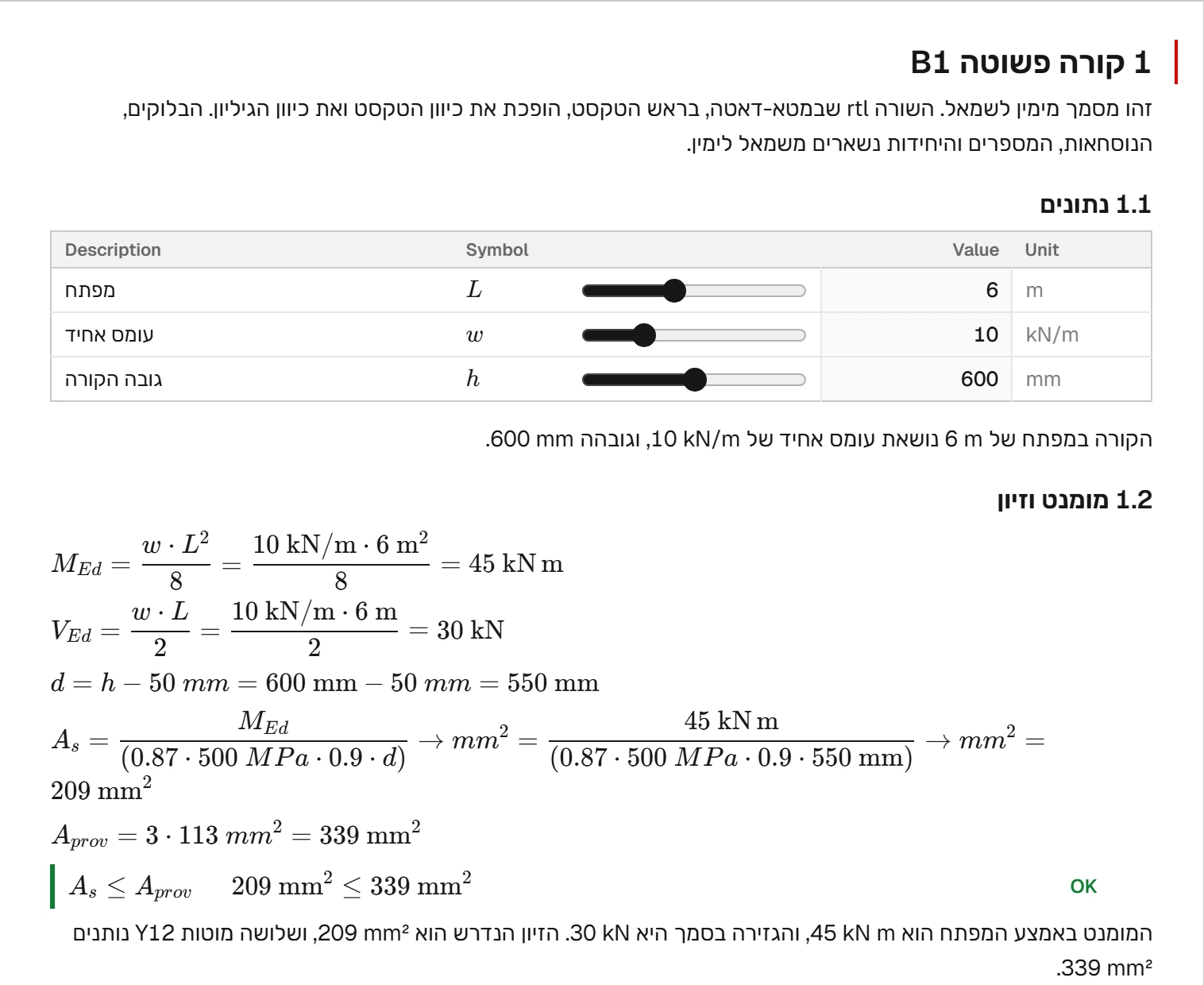
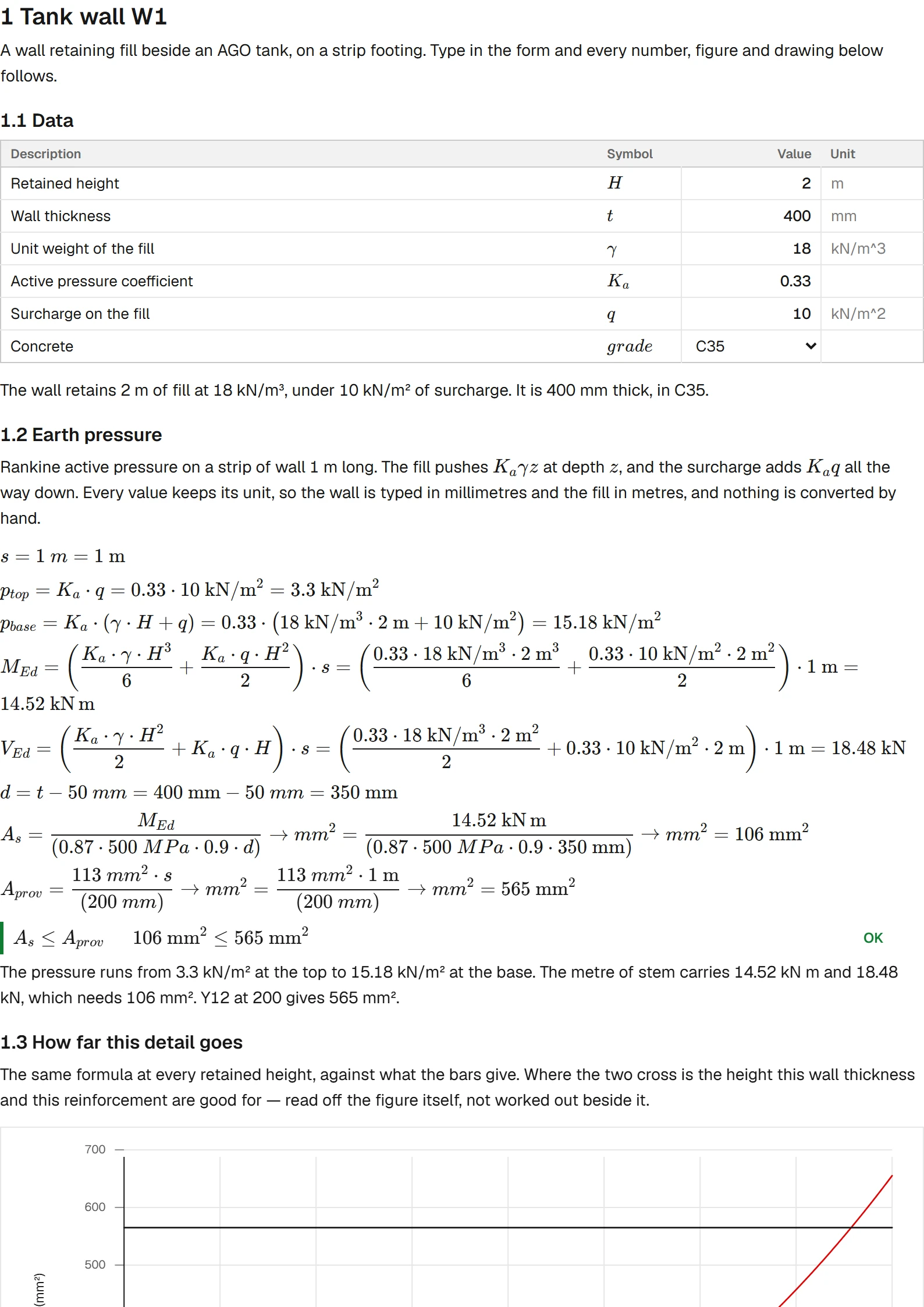
One set of inputs drives the typeset calculation, the analysis, the building model and the drawings. Change a span or a bar diameter and the whole notebook re-solves and re-draws. Every picture is a document that ships with the app, as the app draws it.
Inputs and formulas, written out as by hand
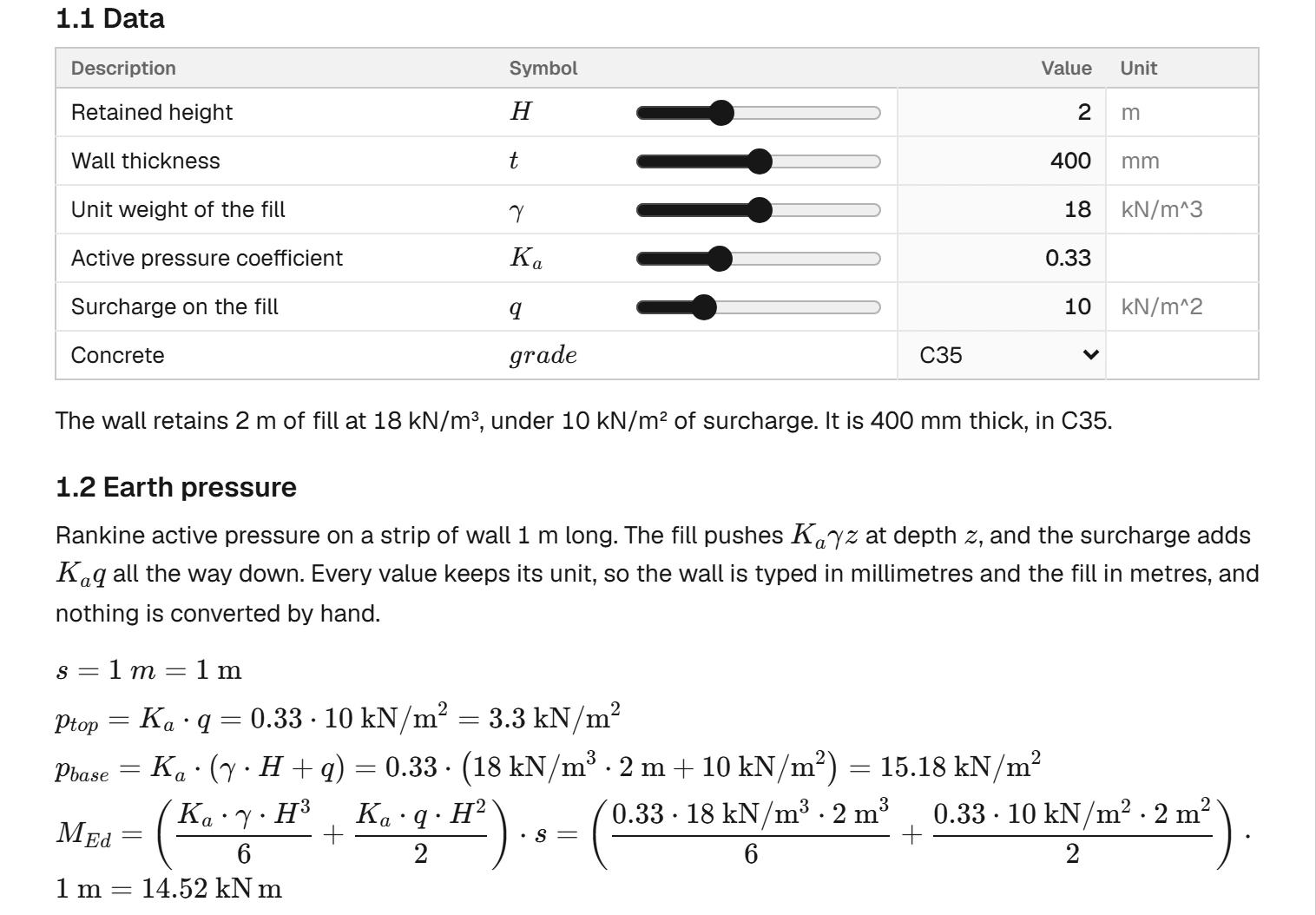
An input is a line with its value, its unit and its limits, and the sheet turns it into a form with a slider. A formula is a line too, and the sheet writes it out the way a checking engineer reads it: the symbols, the numbers put in, and the result with its unit.
- Every SI and imperial unit, carried through every line and converted where it must be
- A comparison is a check, and says OK or FAIL
- A value is written into a sentence, so the text follows the numbers
- The functions of algebra, trigonometry, matrices and statistics
Verification
The analysis engine is tested against textbook results. Each row is one of its tests, run on every change, with the tolerance the test holds it to.
| Benchmark | Reference | Agreement |
|---|---|---|
| Axial bar, end load: extension | PL / EA | Exact |
| Cantilever, tip load: deflection | PL³ / 3EI | Exact |
| Cantilever, tip load: base reactions | P and PL | Exact |
| Simple beam, uniform load: midspan deflection | 5wL⁴ / 384EI | Exact |
| Fixed beam, uniform load: end and midspan moments | wL² / 12 and wL² / 24 | Exact |
| 3D frame: joint displacements and rotations | Logan, A First Course in the Finite Element Method, example 5.8 | Within 2 % |
| Cantilever column, second order (P-Delta): sway | The exact solution, with tan kL | Within 4 % |
| Simply supported square plate, uniform pressure: centre deflection | Timoshenko, Theory of Plates and Shells, table 8 | Within 5 % |
| Simply supported square plate, uniform pressure: centre moment | Timoshenko, Theory of Plates and Shells, table 8 | Within 10 % |
| Ring plate held at its outer edge: deflection at the hole | The plate equation, solved in closed form | Within 2 % |
Exact: equal to the closed form to the 8th decimal place or better.
The other engines are held the same way. Every row of the language reference is a test of the calculation engine: what each word computes, and the formula the sheet draws for it. Every drawing test reads its DXF file back, every building-model test reads its IFC file back with an independent reader, and every document that ships with the app is computed in the tests.
Planned
Beside the free notebook, three tools are planned.
Revit export saves the building model straight into the project's Revit model. An assistant turns a hand sketch and a hand calculation into a document, for you to check and sign. Cloud sync keeps your notebooks in your account and opens them on any machine. If you want to be told when each is ready, join the waitlist.
One email when each tool is ready. Your address is used for nothing else.
Follow the work as it happens.
Follow StructArk on LinkedIn